
Both TVs will display the same content.
- Turn on the TVs. (Little square button, button left)
- TVs will default to Input 2A. DO NOT CHANGE THIS.
- Under the iMac on the sound desk in the Aud is a black little box. Press the 4th big button called Lobby TVs so it is lit up red.
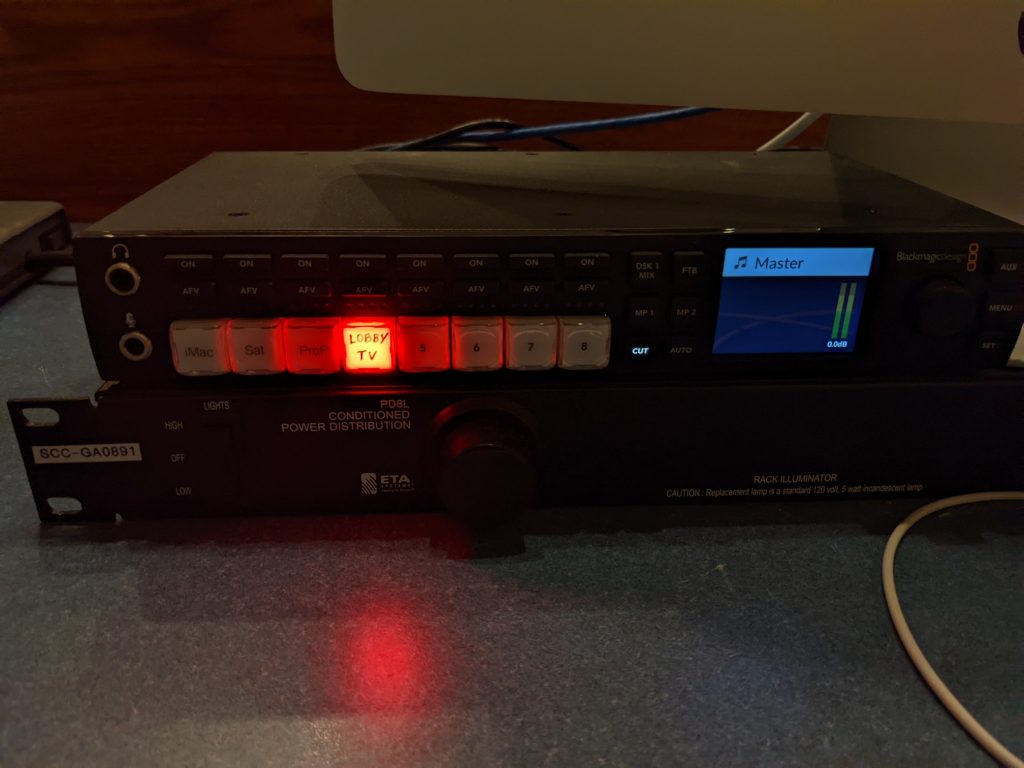
- From the 3rd drawer under the iMac, grab the HDMI cord.
- If you need Audio, grab the headphone/aux cord as well.
- Plug the HDMI cord in under the left TV, and into your laptop. Everything should now show up on the main displays.
- If you will need audio, the soundboard needs to be on, and the amps need to be on, consult your event technician.