In MacOS Catalina and newer, remote desktop software needs extra permissions from the end user to allow the remote connection.
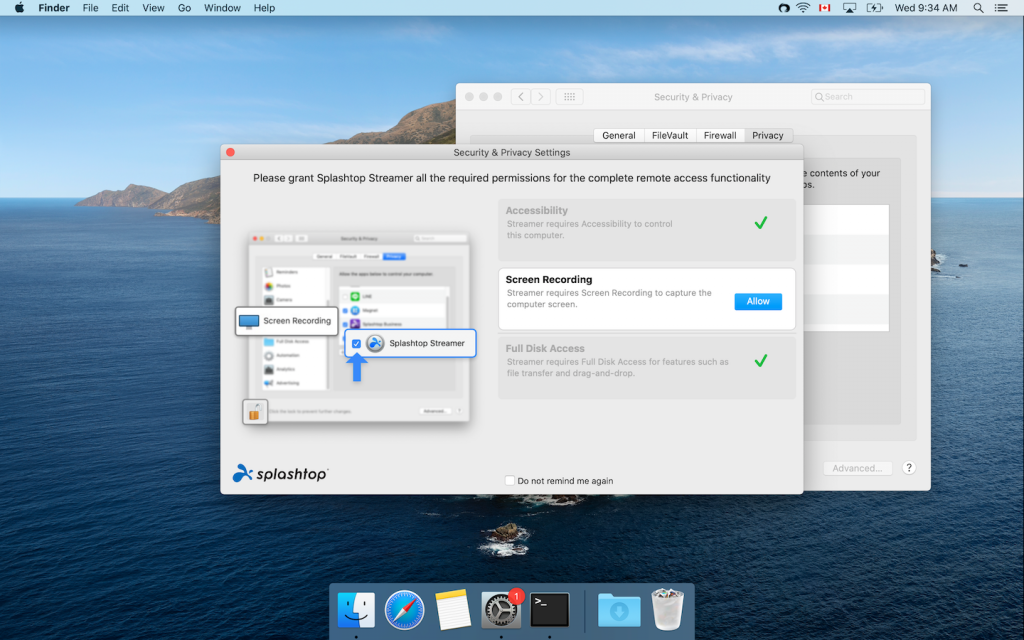
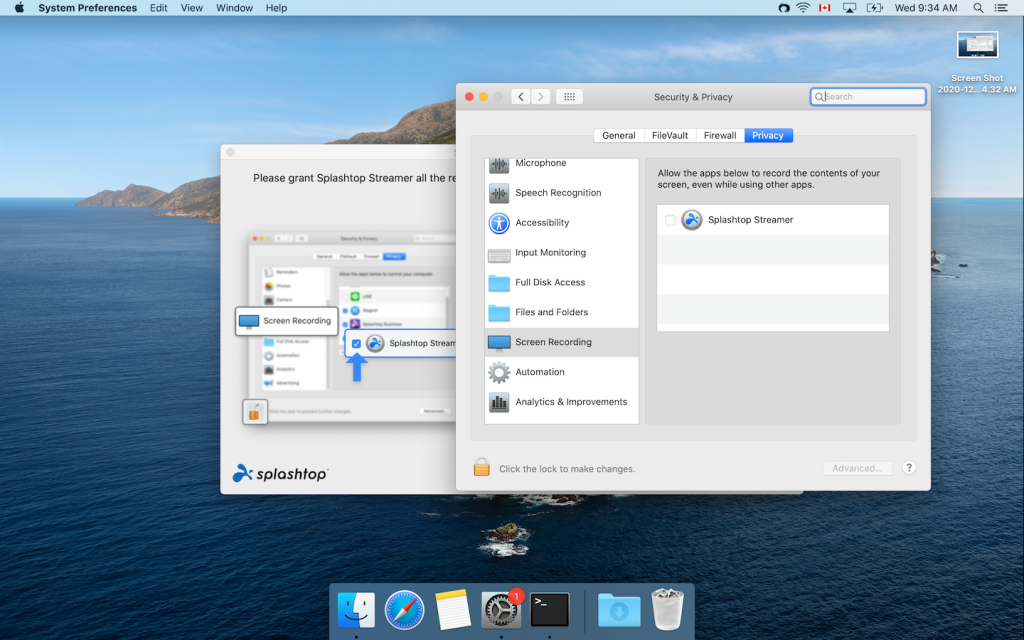
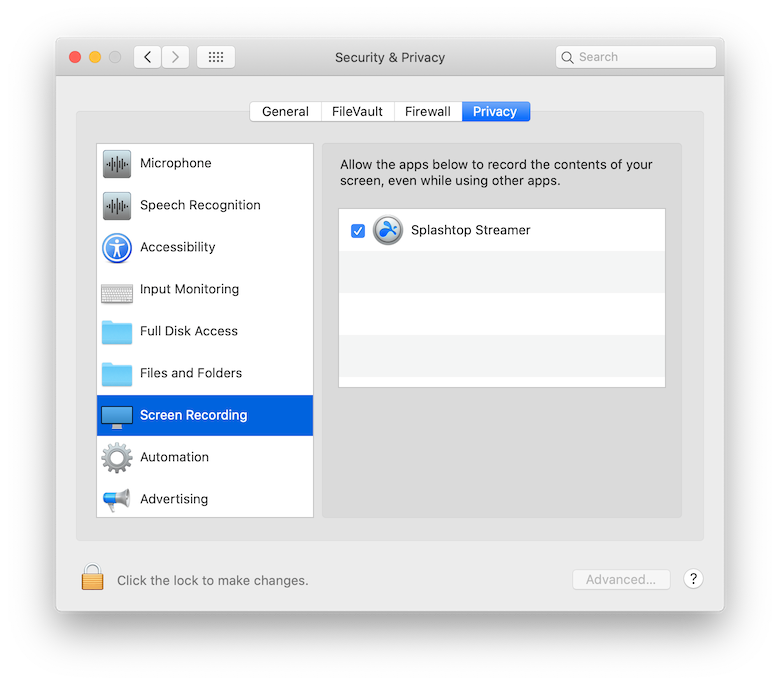
You will see a pop up asking you to Allow Screen Recording

In MacOS Catalina and newer, remote desktop software needs extra permissions from the end user to allow the remote connection.
You will see a pop up asking you to Allow Screen Recording